Blog · Lab Tools / Type
Devanagari and Tamil ASCII Art: A Picture Made of Words
Write a picture in Devanagari with Sanskrit words, or in Tamil, Latin or symbols. Every letter stays whole with its vowel signs; save a PNG, an SVG or a video.
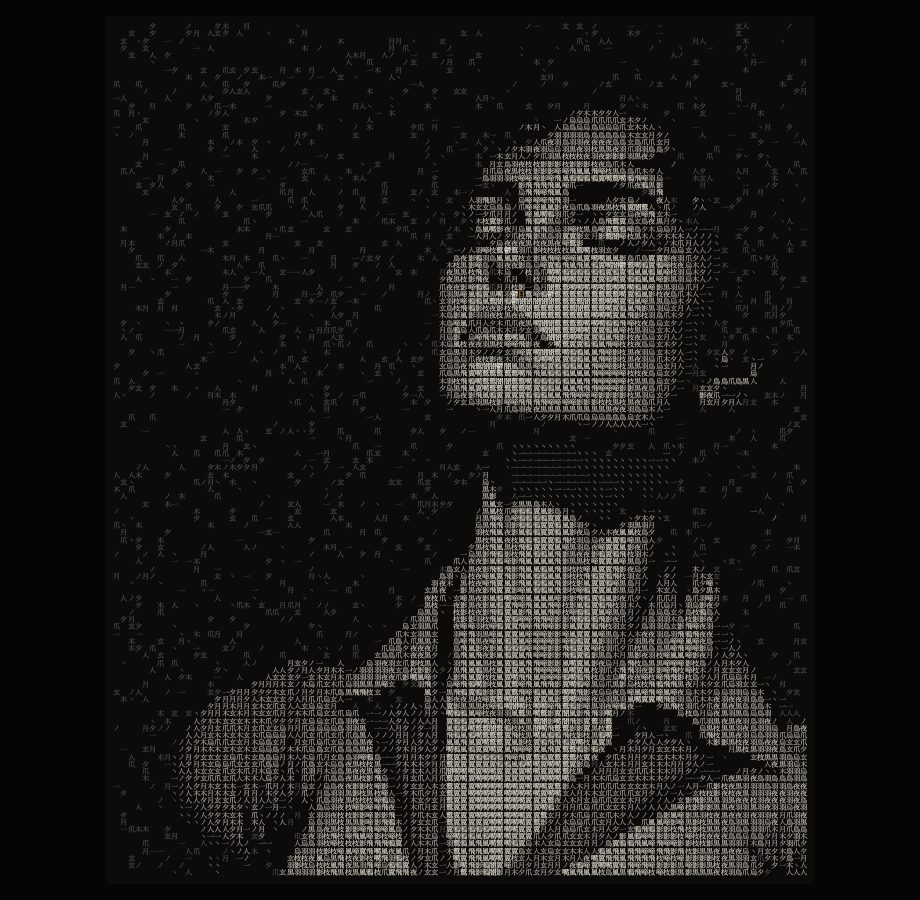
Most ASCII art is written in the Latin alphabet, because it began on keyboards that had nothing else. But a picture made of words can be made of any words. A river written in जल नदी सागर, a sea in கடல் அலை நீர், a forest in its own names: the picture is there from a distance, and up close it reads.
Ink Weight is the lab tool that does this. It cuts a picture into square cells, one character each. It measures the ink of every character in the word set, and gives the heavy ones to the bright parts of the picture and the light ones to the dim parts. The dark parts stay empty. It measures each character itself, so it works in any script your device has a font for.
Six ways to choose the characters
The Script row at the top of Words picks the writing system, and the row under it the word set for that script. Each set holds the words a subject is made of, and ends with a few light marks of the same script so that the dim parts of the picture have somewhere to go.
| Script | Word sets | Spark |
|---|---|---|
| Kanji | Crow, Water, Fire, Forest, Rain, Light, Stone | 日 |
| Devanagari | Sanskrit words: Elements (अग्नि जल वायु आकाश पृथ्वी), Mantra, Light, Night, Water | ॐ |
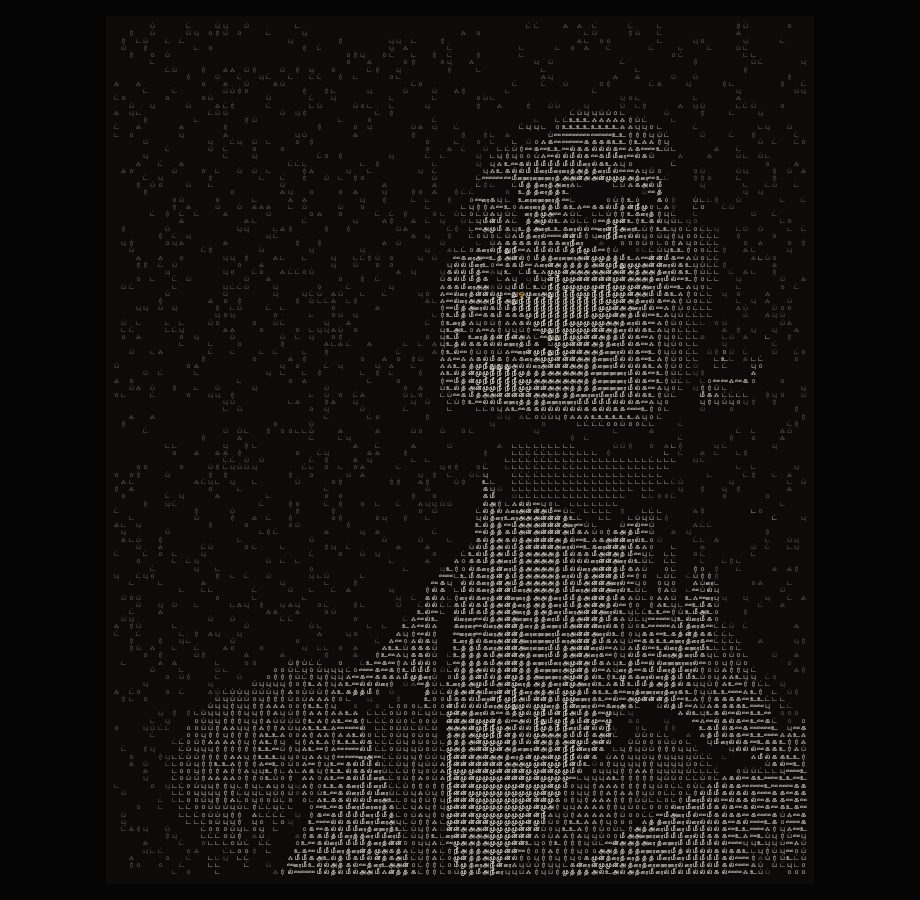
| Tamil | Sea (கடல் அலை நீர்), Light, Night, Wind and fire, Hill and rain | ௐ |
| Latin | Raven, Water, Light, Stone, Forest, in capitals and small letters | O |
| Symbols | Shapes, Lines, Shade, Stars, Arrows | ★ |
| Your own | Any characters you type, in any script, mixed if you like | yours |
The spark is the one brightest cell of the picture, drawn with a single character in its own colour, gold until you change it. Each script brings its own spark character; type another into Spark glyph to change it, or turn Spark off. The kanji side of the tool, with its vertical writing, has its own post: kanji ASCII art, from picture to SVG.
Devanagari ASCII art with Sanskrit words
The Devanagari sets are Sanskrit: the five elements, a mantra set (ॐ शान्तिः नमः स्वाहा), light (प्रकाश ज्योति दीप सूर्य), night (रात्रि निशा चन्द्र तारा नक्षत्र) and water (जल नदी सागर मेघ वर्षा). The words are taken apart into the letters a reader sees, so अग्नि gives two cells, अ and ग्नि, and नक्षत्र gives three. The light end of each set is the danda ।, the abbreviation sign ॰, the avagraha ऽ and the short letter र.
Devanagari letters hang from a headline, the shirorekha, so a run of them reads as a line of text even when the picture is coarse. Fewer columns and a larger size let the conjuncts show; more columns make the picture finer and the letters harder to read.
Tamil text art
The Tamil sets are the sea, light, night, wind and fire, and hill and rain: கடல் அலை முத்து, ஒளி சுடர் விளக்கு, இருள் இரவு நிழல். Each ends with the light marks: the aytham ஃ, the Tamil zero ௦, and the letter ட with and without its pulli.
Your own Tamil words work the same way, under Your own, and three words are enough to start. கரு நீர் ஒளி gives six letters, க ரு நீ ர் ஒ ளி, each kept whole with its vowel sign or its pulli. The tool measures each and sorts them, so the open letters fall in the shadows and the dense ones on the face. Type more words for finer steps of tone.
Why a letter and its vowel sign stay in one cell
A computer stores ரு as two code points, the consonant ர and the vowel sign ு, but a reader sees one letter. Ink Weight splits text the way a reader does, into grapheme clusters, so a consonant keeps its vowel signs and an accented Latin letter keeps its accent. Split by code point, the vowel sign would stand alone in its own cell, which no reader would recognise as a letter.
Conjuncts go one step further. In Devanagari a consonant, a virama and the next consonant join into one shape: क्ष, त्र, the ग्नि of अग्नि. Ink Weight keeps such a cluster in one cell even where a browser's own splitting would part it, and it does the same for the Tamil ligatures க்ஷ and ஸ்ரீ. A cluster wider than its square is drawn a little smaller so that it fits, and its ink is measured at that size, so it still lands on the right tone.
Which fonts draw them
For Devanagari and Tamil, Ink Weight loads no font of its own: it uses the fonts already on your device. For each script, Serif, Sans and Mono name a list of fonts, and the first one your device has draws the letters:
- Devanagari: Serif asks for Devanagari MT or ITF Devanagari (on a Mac), then Noto Serif Devanagari (Android, Linux) or Nirmala UI (Windows). Sans asks for Kohinoor Devanagari or Devanagari Sangam MN, then Nirmala UI or Noto Sans Devanagari.
- Tamil: Serif asks for Tamil MN or InaiMathi, then Noto Serif Tamil, Latha or Nirmala UI. Sans asks for Tamil Sangam MN, then Nirmala UI, Noto Sans Tamil or Latha.
- Latin: the lab's own serif and sans faces, then Georgia (serif) or Helvetica Neue and Arial (sans).
- Mono is the lab's monospace face for the characters it has; for Devanagari, Tamil and kanji the script's sans draws the rest.
A character no font on the device can draw would show as an empty box, so the tool leaves it out of the picture without a word. If fewer than three characters are left, it uses the Crow kanji and the line under Words says why. Colour emoji are refused too: they carry colour, not ink. A saved SVG names the same fonts, so on a computer without them the next font draws the letters, and on one with no font for the script at all you may see boxes. Save a PNG when the look must stay the same everywhere.
Type your own words
Press Your own in the Script row and type into the box. Any script works, and you can mix them: Sanskrit with kanji, Tamil with Latin. Spaces and repeated characters are dropped, up to 200 characters are kept, and the order you type does not matter, because the tool sorts them by ink. The line under the box says how many survived and the ink of the lightest and the heaviest. Your words stay on this device for your next visit, and nowhere else.
Choosing good words for a subject
- Name the subject and its parts. For a portrait in Sanskrit: मुख नेत्र हृदय प्राण. For a tree in Tamil: மரம் இலை வேர் கிளை பூ நிழல். The words are what someone finds when they come close.
- Aim for 12 to 30 different letters. Fewer give a posterised picture with hard steps; more give smoother tone but each letter appears less often.
- Keep some light marks. If every letter is dense, the dim parts of the picture fill up and the subject loses its edge. A danda, a dot, a short letter or a comma gives them somewhere to go.
- In Latin, mix cases. Each letter is one cell, so a word list becomes its letters. Capitals carry more ink than small letters, so RAVEN raven gives a wider range than either alone.
- Watch the readout. If the ink range is narrow, add a heavier or a lighter character.
Save it
Every script saves the same way: a PNG at twice the size you see, on your paper or on a clear background with Clear paper; an SVG with every letter as live text in its place and colour; the text itself, by Copy text or Save .txt; and a 5 or 10 second video from Record video, in one of four motions: Rain, Write, Gather or Breathe. Vertical writing works in every script, though it is the Japanese way of writing. The Ink Weight guide has every control and three looks with their settings.
For the classic Latin look, with character ramps, shade blocks and Braille, use ASCII art. For characters grown from a noise field rather than a picture, try Glyph Weave.
Common questions
Can I make ASCII art in Devanagari or Tamil?
Yes. Pick Devanagari or Tamil in the Script row, or type your own words. The tool measures the ink of each letter itself, so any script your device has a font for works.
Why does a conjunct stay in one cell?
A reader sees क्ष or ஸ்ரீ as one letter, so the tool keeps it as one. A cluster wider than its square is drawn a little smaller so that it fits.
Why are some of my characters missing?
A character no font on the device can draw, or a colour emoji, is left out. With fewer than three characters left, the Crow kanji are used and the line under Words says so.
Can I mix scripts in one picture?
Yes. Choose Your own and type them together. They are sorted by ink, not by script, so a Tamil letter and a kanji of the same weight share a tone.
Try it
Open the sample, choose a script, and write the picture in its words.