Blog · Lab Tools / Type
Kanji ASCII Art: Write a Picture in Kanji, Save as SVG
Kanji ASCII art writes a picture in Japanese characters picked by their ink. Make one in your browser, vertical too, and save an SVG with live text or a PNG.
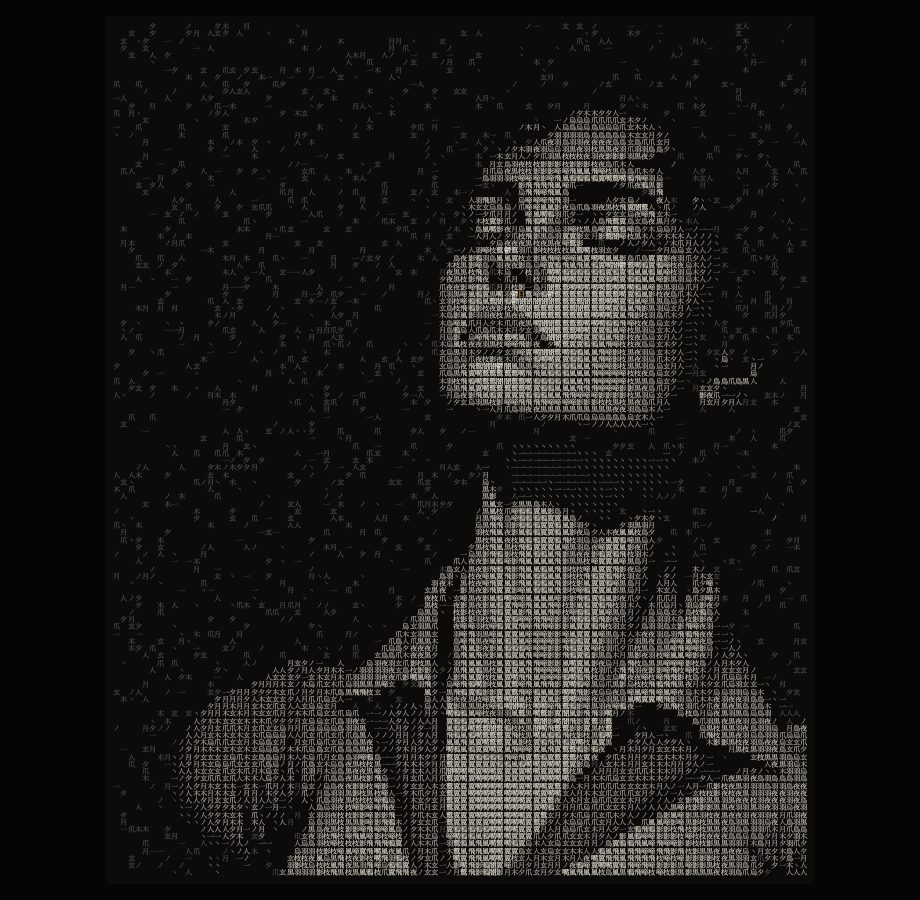
Classic ASCII art draws a picture with the letters and marks on a keyboard: a dot for a dark patch, an at sign for a bright one. Kanji ASCII art does the same with Japanese characters, and it reads differently. A kanji is not a mark that stands for a shade. It is a word. A crow written in 烏 鳥 羽 翼 夜, crow, bird, feather, wing, night, is a picture you can also read, and from far away it is still a crow.
Ink Weight is the AIKIZI lab tool for this. It cuts your picture into square cells, measures how much ink each character in your word set carries, and puts the heavy ones where the picture is bright and the light ones where it is dim. Nothing is uploaded; the picture is read and written in your browser.
Why kanji text art reads differently from Latin ASCII art
Three things set it apart.
The cell is square. A Latin letter is about half as wide as it is tall, so Latin ASCII art squashes or stretches the picture unless the tool corrects for it, and the grain runs in rows. A kanji sits in a square, its em square, and every kanji takes the same one. In Ink Weight every cell is square for every script, so the picture keeps its shape and the grain is even both ways. That is also what lets the same grid be written in columns.
The steps of tone are finer. A Latin ramp has perhaps ten marks that look different enough to be useful, from a dot to an at sign. Kanji run from a single stroke, 一 or 丶, to dense characters such as 鬱 or 鷲, and a set of twenty or so gives twenty steps. The tool does not guess a character's weight from its stroke count. It draws each one once and counts the ink it lays down, so the order is the font's real order.
The characters mean something. In Latin ASCII art the letters are interchangeable; in kanji text art the word set is part of the design. Water written in 濤 渦 潮 波 泡 雫 reads as water when you come close. Ink Weight has seven kanji sets to start from, Crow, Water, Fire, Forest, Rain, Light and Stone, and a Your own choice for any characters you type.
Make one in Ink Weight, step by step
Open Ink Weight. It opens with a sample already written, so you can see the controls work before you bring your own picture.
1. Load a picture
Press Image A or drop a picture on the frame. One bright subject on a darker ground reads best, because the dark ground becomes empty paper.
2. Choose the script and the words
Under Words, keep the script on Kanji and pick the set closest to your subject. The line under the chips shows the characters in use, light to heavy, how many there are and the ink of the lightest and the heaviest. Every character in the set is used: the tool spreads them over the picture's tones by rank, so a set of twenty gives twenty steps.
3. Set the ground and the haze
Ground leaves every cell darker than it empty. Raise it until the background falls away. Haze sets a share of those empty cells back with a light character drawn faintly, about a quarter of the ink, like a field behind the subject. The same cells keep it as you change other settings, so it never flickers. Set it to 0 for a clean ground.
4. Set the columns and the type
Columns runs from 20 to 200 (120 on a phone): fewer columns give larger, more readable characters, more give more of the picture. Pick Serif, Sans or Mono. For kanji, Serif is the Mincho style of Japanese type and Sans the Gothic style. Size and Spacing set how big each character is and how much room it has.
5. Choose the ink
Ink on paper uses one ink colour on one paper colour. Picture colour gives each character the colour of its part of the picture. Two tone writes the subject in one ink and the haze in a second, fainter one. The page opens with light ink on dark paper. For dark ink on white paper, swap the two colours; that is enough. When the ink is darker than the paper, the tool puts the heavy characters where the picture is dark by itself.
Vertical writing
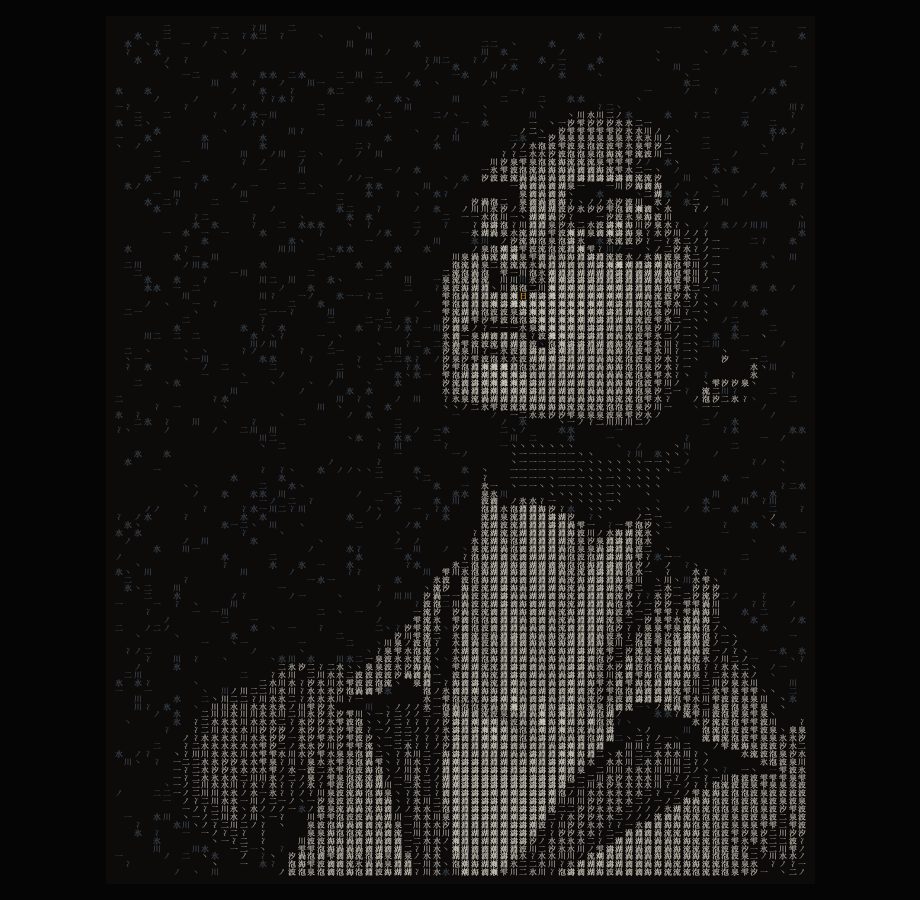
Turn on Vertical writing and the characters run in columns from top to bottom, the columns from right to left, the way Japanese is written by hand. This is tategaki. The columns stand a little apart, as they do on a printed page, and marks that lie along a line, such as 、 and ー, turn to their vertical forms.
The order matters beyond the look. The text you copy, the .txt file and the SVG follow it too: one line per column, the rightmost first. Set in a vertical text frame, the text reads as the picture again.
Export: an SVG with live text, a clear PNG, text and video
Kanji ASCII art is most useful when it leaves the browser in a form you can design with.
- Save SVG writes ink-weight.svg with every character as live text, in its own place and colour. It stays sharp at any size, and in Figma, Illustrator or Inkscape the characters remain text you can select, recolour or set in another typeface. The file names the same fonts the page used; a computer without them draws the characters with its next font, so they can look a little different. When the look must stay exactly the same everywhere, use the PNG.
- Save PNG writes ink-weight.png at twice the size it is drawn on screen (a very large one is kept under 16 million pixels).
- Clear paper leaves the PNG and the SVG without a background, so the characters sit on anything: a poster, a dark product shot, a slide. The checks in the frame only show you where it is clear; the files never carry them.
- Copy text and Save .txt keep the characters alone, with no colour. When most of the characters are kanji, an empty cell is a full-width space, so the grid lines up in any CJK font.
- Record video saves one take of the motion you pick under Motion: Rain (bright heads fall down the columns and light the picture), Write (written by hand, line by line), Gather (the characters stream in and land) or Breathe (a slow wave of heavier ink crosses the finished picture). A take is 5 or 10 seconds, 1920 pixels on its long side, an MP4 (H.264), or a WebM in a browser that cannot write MP4. It ends where it starts, so it loops.
The one spark glyph
With Spark on, the single brightest cell in the picture is drawn with one chosen character in its own colour. Just one. On a portrait it often lands in an eye, a catch-light. For kanji it is 日, the sun, in gold; type any character into Spark glyph and choose Spark colour to change it, or turn Spark off. One accent in a field of one ink is often what makes the piece feel designed rather than generated.
Ink Weight, ASCII art and Glyph Weave
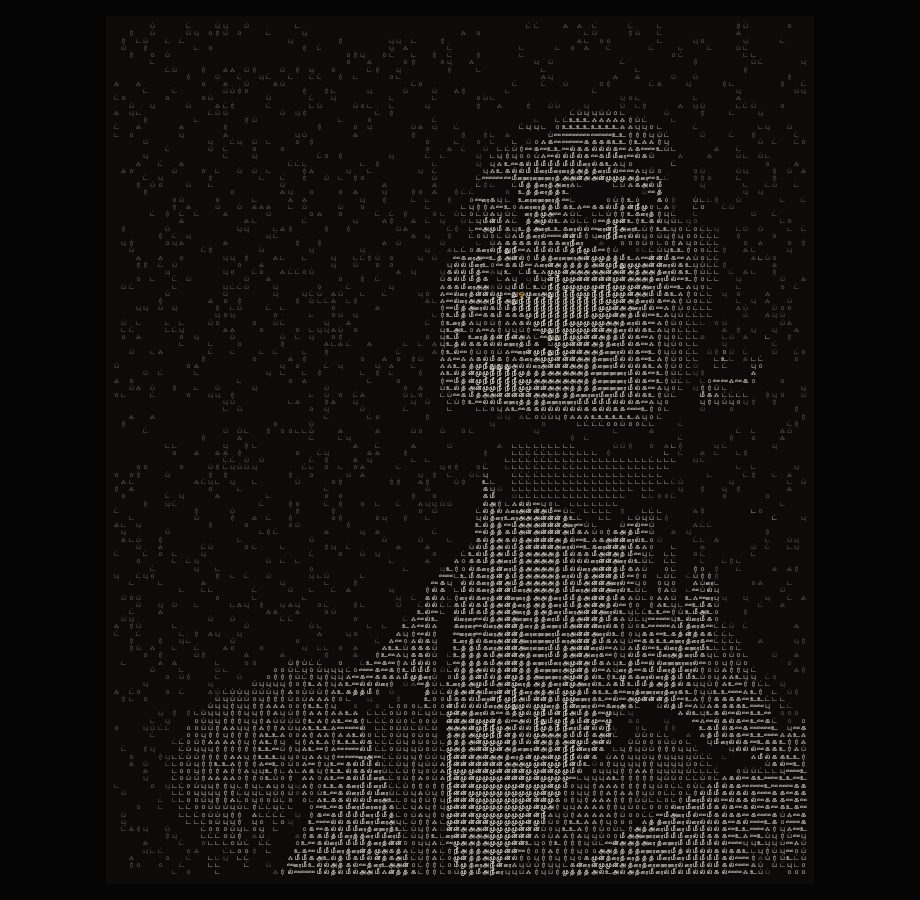
The lab has three tools that make pictures from characters. ASCII art turns a picture into Latin character ramps, shade blocks or Braille, the classic look. Glyph Weave grows a field of characters from noise, with no picture behind it. Ink Weight is the one for kanji, a word set you choose, vertical writing and an SVG with live text. It writes in other scripts as well: a picture made of words in Devanagari, Tamil or Latin covers those.
Common questions
What is kanji ASCII art?
It is a picture drawn with kanji in place of the letters and marks of classic ASCII art. Each cell gets one character, a heavy one where the picture is bright and a light one where it is dim.
Can I edit the SVG in Figma or Illustrator?
Yes. Every character is live text with its own position and colour, so you can select, recolour or change the font. A computer without the fonts the file names draws the characters in its next font.
How do I get a transparent background?
Turn on Clear paper before you save. The PNG and the SVG then have no paper behind the characters.
Is my picture uploaded?
No. The picture is read and written in your browser, and it is kept on your device for the next visit until you remove it.
Try it
Open the sample, pick a word set and save it as an SVG. The Ink Weight guide lists every control, the keys and three looks with their settings.