- It says “This tool needs WebGPU. Open Woven Wind in a recent Chrome to weave the rug.”
Woven Wind could not draw with your graphics chip, so it shows that one sentence where the rug would be. There are two reasons.
Your browser has no WebGPU yet: open Woven Wind in a current version of Chrome or Edge on a laptop or desktop.
Or the browser has WebGPU but cannot use your graphics chip. In Chrome, open Settings › System, turn on Use graphics acceleration when available, and restart the browser. Updating the browser can also help. Remote desktops and virtual machines often have no usable graphics chip at all.
- Does it work on a phone or tablet?
It opens there: the rug fills the screen, the controls open as a sheet from the bar at the bottom, and your finger works as the hand. But most phone browsers have no WebGPU yet, so you will usually see “This tool needs WebGPU” instead of the rug. It is made and tested on a laptop or desktop in Chrome.
- A key does nothing.
Keys are ignored while you type in a box, such as the seed or your words: click the rug first. While a video is being made, keys wait until it has finished.
- What about Safari or Firefox?
Both have added WebGPU recently, but Woven Wind has not been tested in them yet. For now, use Chrome or Edge.
Chapter ten
Questions
What to do when Woven Wind will not start or runs slowly, which browsers and devices it needs, and what happens to your pictures and settings.
When it will not start
When it is slow
- It stutters, or the fans spin up.
The bottom bar shows how many threads are moving and how many frames a second you get. To lighten the load, lower knots or ply in the pile tab, hide the panel with H, make the window smaller, or close other heavy tabs.
Pictures and videos are made frame by frame, so they come out smooth even when the live view is not.
- The pattern is hard to read.
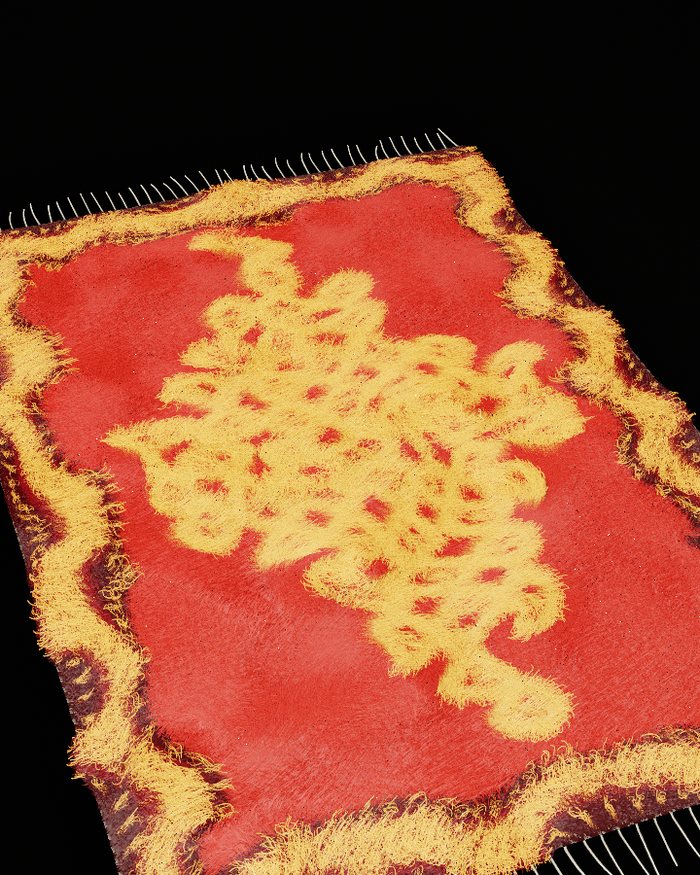
Long pile hides fine lines, like real shag. Lower the pile’s height, raise carve so the motif stands out, or add knots. The plan view shows a motif most clearly.
Saving
- The mp4 or loop button shows an error.
Videos need a browser feature called WebCodecs. Without it Woven Wind says “export failed · this browser has no WebCodecs video encoder”; pictures still work. If the message says “too large for H.264”, choose a smaller size in the top bar, or 30 frames a second, and try again.
- My video doesn’t move with the music.
Sound moves the live rug only. Videos are made frame by frame on the weather’s own clock, so they come out smooth and loops still close, and they are silent. To keep the rug with its music, record your screen.
- Where did my file go?
Into your browser’s downloads folder, named after the mood, motif, seed and size. See chapter eight.
Your things
- Is anything uploaded?
No. Woven Wind runs entirely in your browser tab. A picture you drop in is kept in your browser’s own storage on your computer, so your rug can come back next time. Woven Wind never sends it anywhere.
- Where are my stars kept, and how do I clear them?
In your browser’s storage for this site: up to 60 stars, your last look, your hand’s marks and every picture you have dropped in. Woven Wind never deletes these by itself, and the marks of a starred look take several megabytes. Clearing this site’s data in your browser’s settings removes all of it.
- Does it record my microphone?
No. With listen set to mic, the sound is only heard inside the tab to move the wind. Nothing is recorded, kept or sent, and listening stops when you choose off or close the page. Your browser asks first.
- What does it cost?
Nothing. Woven Wind is a free tool from AIKIZI Lab, with no account and no sign-up.