Blog · Lab Tools / Audio
Free 3D Music Visualizer Online: 4K Video, No Sign-In
A free 3D music visualizer in your browser: a song, the microphone or a tab set down as notes, partials and beats. Record a 4K MP4 with the sound, no sign-in.
Many music visualizers draw the sound of this instant and let it go. Standing Sound keeps it. About sixty times a second it measures what it hears, the pitch, the partials, the loudness, how bright the sound is and how much of it is noise, and sets each measurement down as a point in 3D. A melody becomes a line you can walk along. A beat becomes a ring you pass through. When you hold it, the last 40 seconds stand still around you, or up to 160 if you ask for a longer history.
It runs in the browser on your graphics card with WebGL2. Your song is not uploaded, and nothing asks you to sign in.
What a 3D music visualizer shows here
Every point is a reading, not a decoration. The note that is sung or played, the fundamental, is drawn in the one vermilion. The partials above it, the overtones that give a voice or a flute its colour, are ivory: hollow squares for the harmonics of that note, filled ones for other partials. Breath, cymbals and consonants have no clear pitch, so they fall as fine dust. Each beat the page finds passes through the room as a ring.
Pitch is placed by note name. Every C sits at the same place around the circle, whatever its octave, and the octave decides how far out or how high it stands. So a tune that returns to its home note returns to the same bearing, and you can see a melody climb.
Three rooms, one song
The same points can stand in three rooms. Switch while the song plays; the low notes move first and the high ones follow.
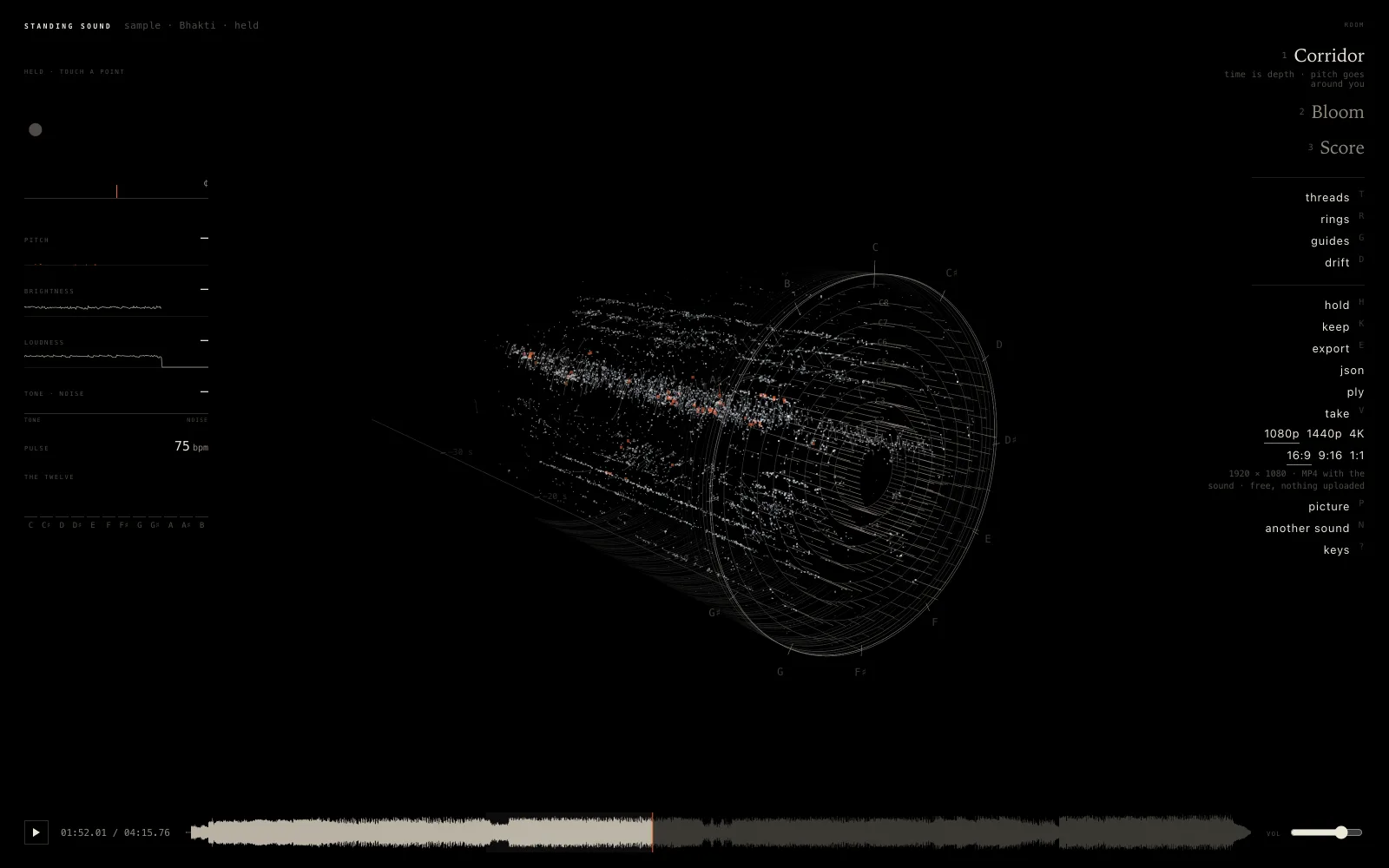
Corridor
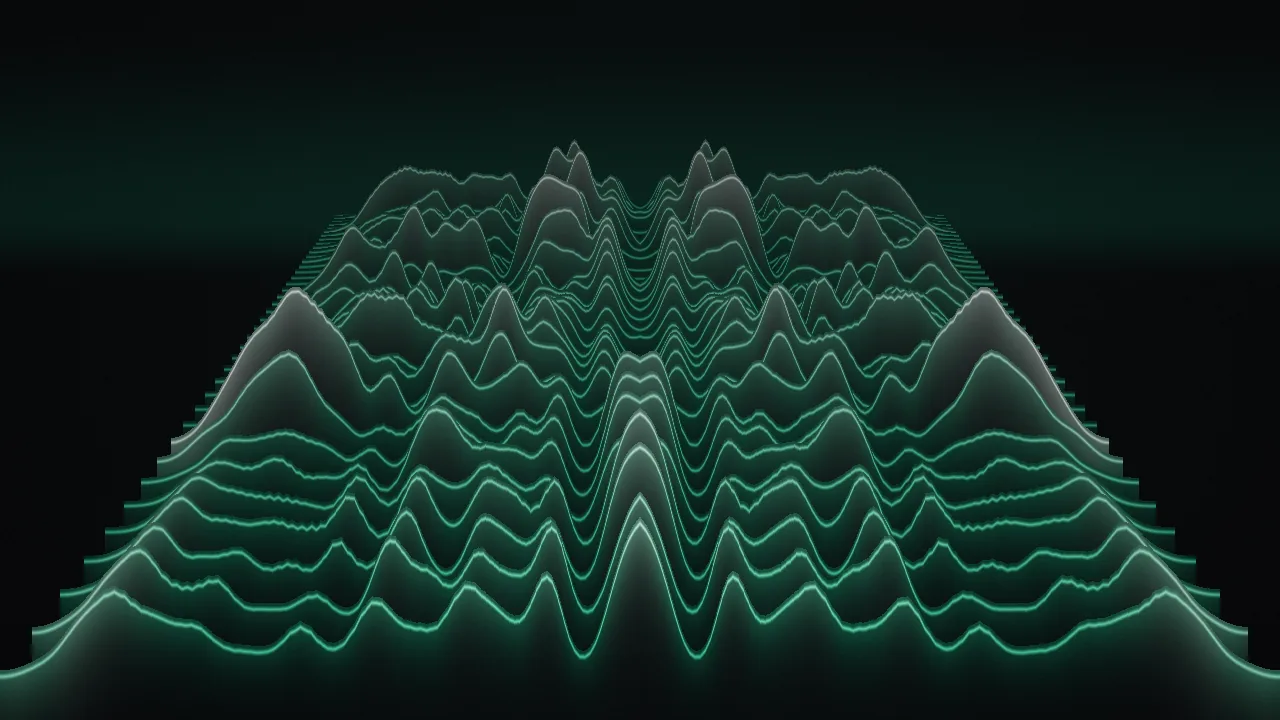
Time is depth: what you heard a moment ago stands further away. Pitch goes around you, and higher octaves stand further from the middle. Shown: Bhakti, held.
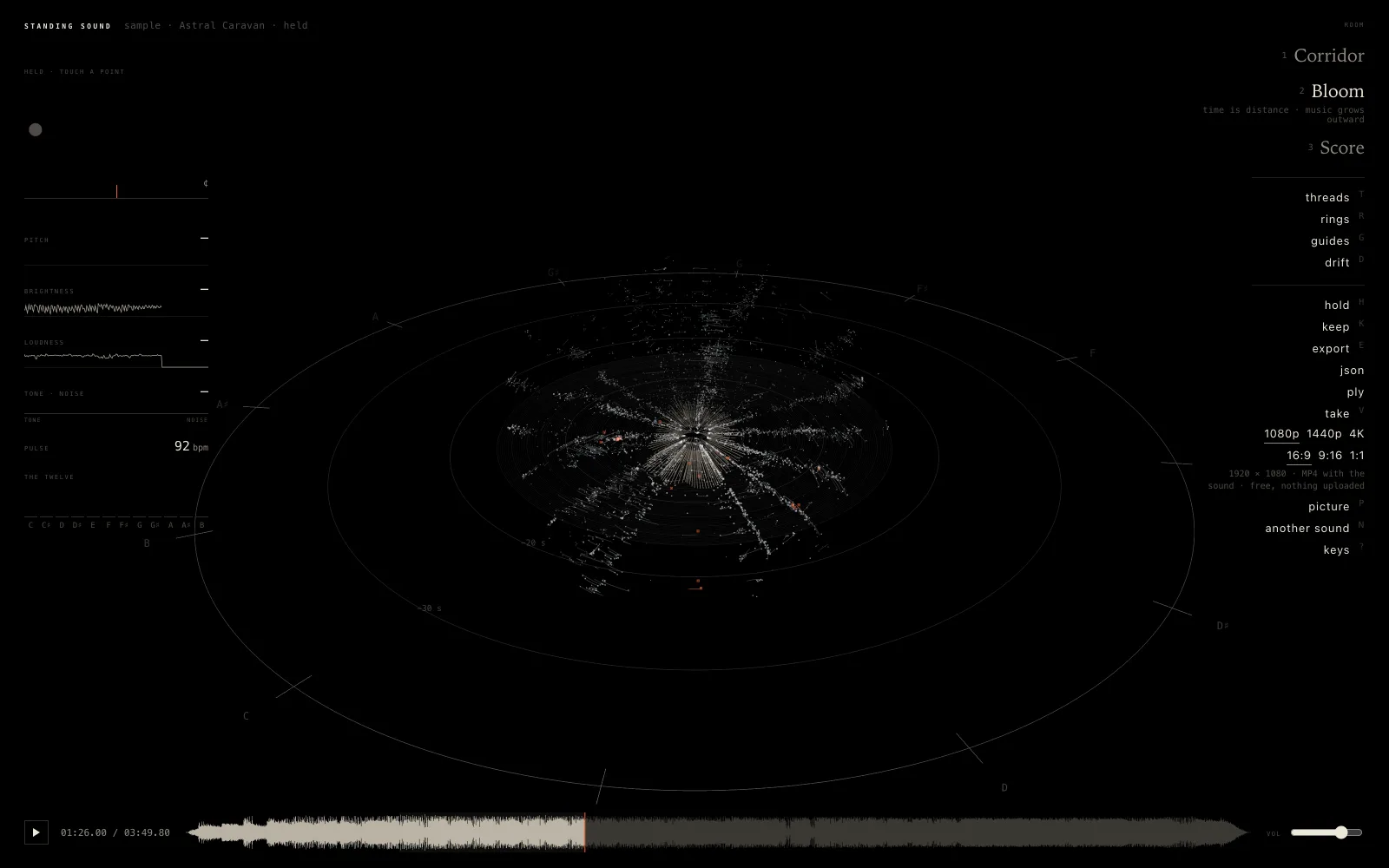
Bloom
The middle is now, and the music grows outward, the oldest furthest out. The bearing is the note, the height is the octave. Shown: Astral Caravan, held.
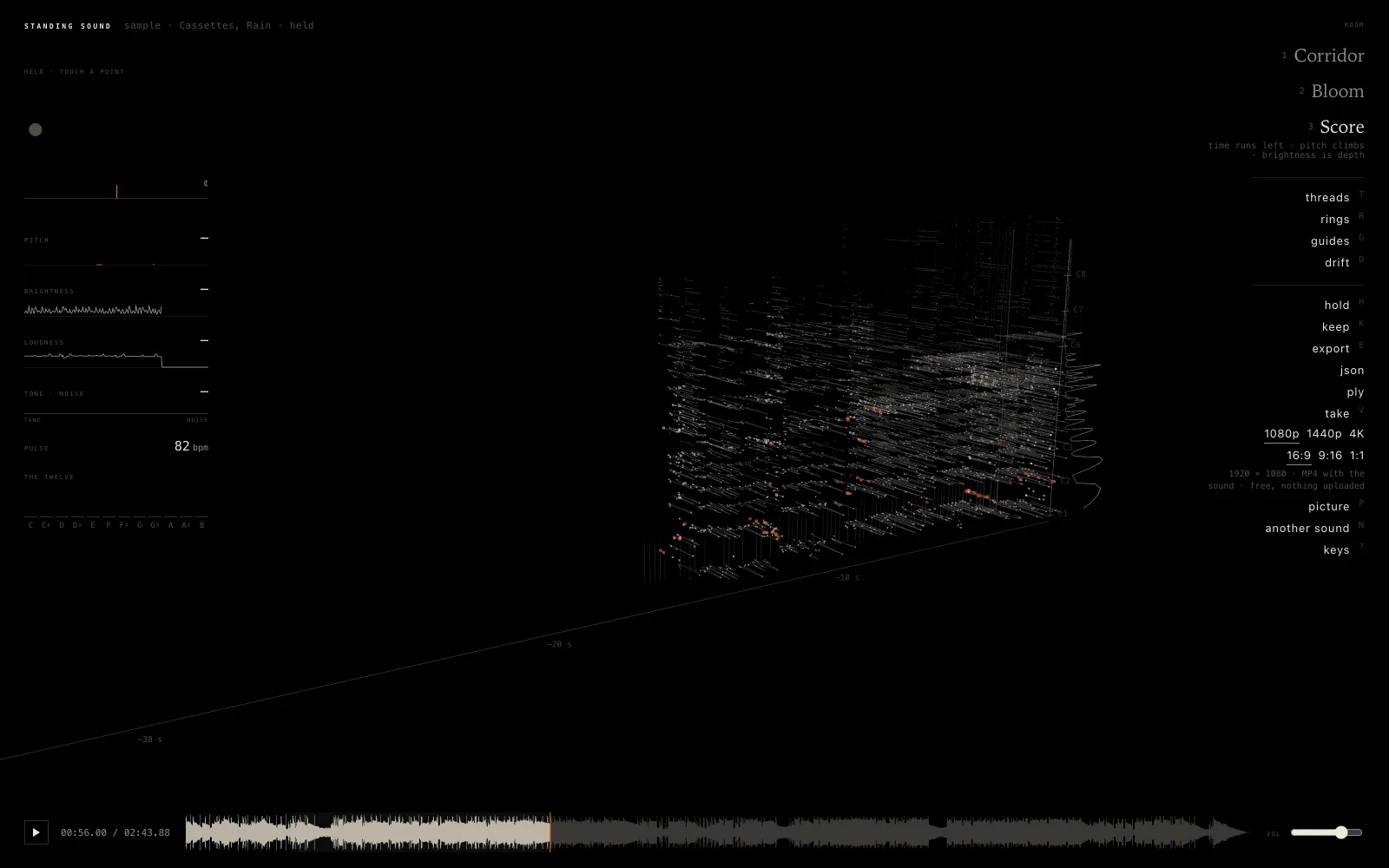
Score
Time runs left and pitch climbs, like a written score. Depth is brightness: a bright sound stands in front of a dark one. Shown: Cassettes, Rain, held.
Hold it still and touch a point
Press Hold still (or H) and the room stops taking in sound. A file pauses; a microphone or a tab goes on, but the room stops taking it in. Now turn it with a drag, come nearer with the wheel or a pinch, and point at any grain: the reading on the left gives its note, its loudness in decibels and when it was heard.
Click or tap the point and you hear that moment again. A recorder in the page keeps the last four minutes of what the room heard, so any point from that span can play. Keep stores the held piece, with its sound, in this browser on this device, and it opens again later in the room and view you kept it in.
Record a 4K video with the sound
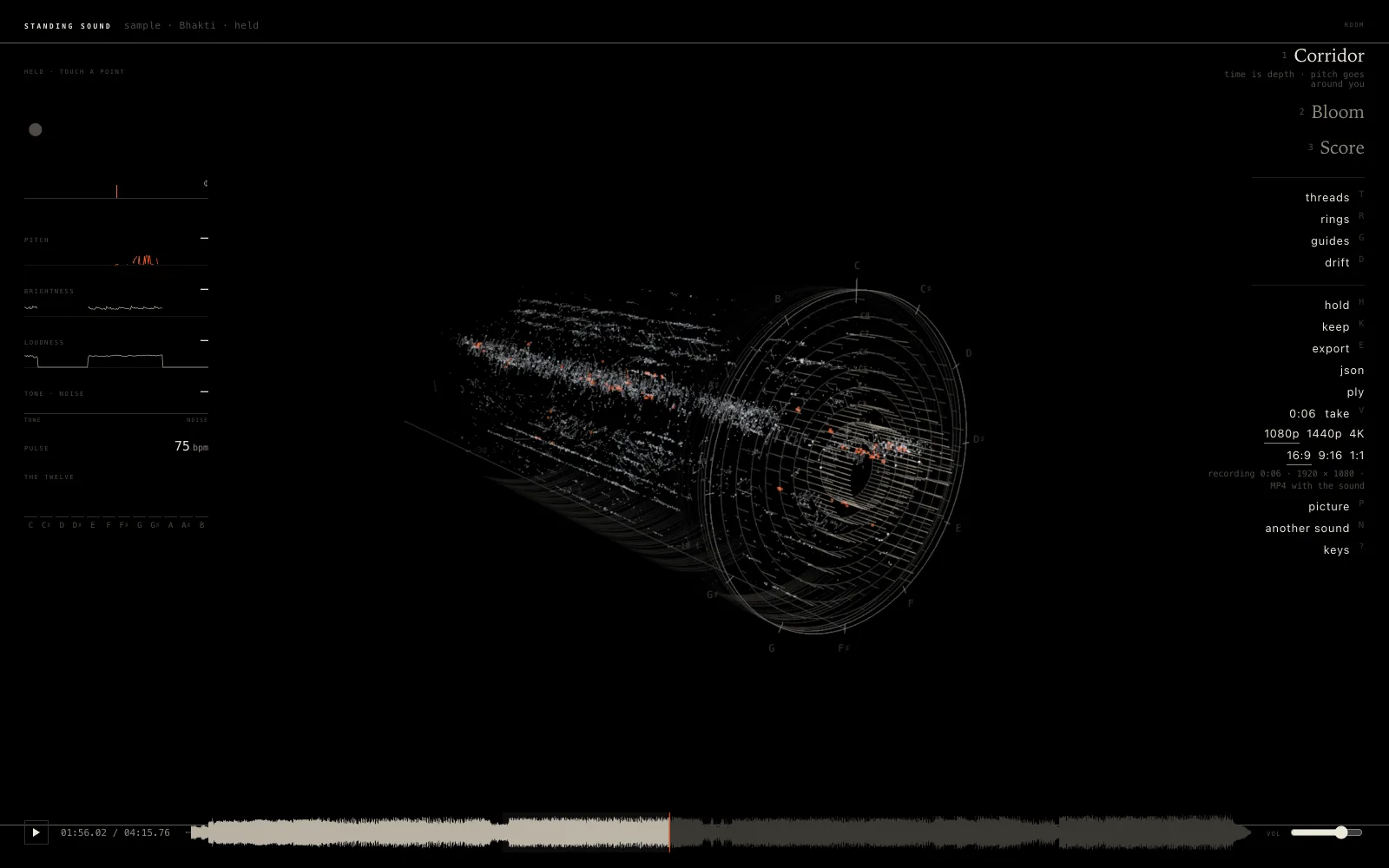
Press Take (or V) and the page records the room with what you hear, until you press it again. Choose the size first: 1080p (1920 × 1080), 1440p (2560 × 1440) or 4K (3840 × 2160), and the shape: 16:9 for YouTube, 9:16 for Reels and Shorts, or 1:1. The room is drawn at that pixel size whatever the size of your window, and on screen you see the frame the take sees.
The file is an MP4 with H.264 video and AAC sound where the browser can make one (Chrome, Edge and Safari), and a WebM in Firefox. There is no watermark, no sign-in and no length limit set by the page. A take records in real time, so it is as long as you let it run. The step-by-step guide to recording a take covers sizes, Reels and which browser gives which file.
Three sample songs, free to use
If you have nothing to hand, the page comes with three instrumentals by cyberyogi, made with Suno and free to use in what you record here:
- Bhakti (4:16): Indian classical, a bansuri flute over strings.
- Cassettes, Rain (2:44): a lo-fi beat, its drums passing through as rings.
- Astral Caravan (3:50): psychedelic synthwave.
There is also the house piece, a short demo made in your browser: a voice in D over a drone, a soft pulse, a shaker and now and then a bird. Your own sound or video file, the microphone and a browser tab (Chrome and Edge) work too.
Standing Sound or the flat audio visualizer
AIKIZI has two kinds of visualizer. The flat music visualizer and its family draw the spectrum as a moving 2D picture in ten modes. Standing Sound keeps the measurements in 3D. They answer different needs:
| Flat audio visualizer | Standing Sound | |
|---|---|---|
| What it draws | The spectrum, beats and loudness of the moment, in ten 2D modes | Every measured note, partial and noise as points in 3D |
| Time | Mostly the present; the spectrogram keeps 12 seconds | 10 to 160 seconds stay in view as depth or distance |
| Pitch | Frequency bands | Note names around a circle, octaves outward or upward |
| Stop and study | No | Hold, turn, touch a point to hear it again |
| Sources | A song file or the microphone | A file, the microphone, a browser tab, the house piece or three sample songs |
| Video | Drawn frame by frame at 60 fps after the song is read; 1080p or 4K MP4; asks for a Google sign-in | Recorded live as it plays; 1080p, 1440p or 4K; MP4 or WebM; no sign-in |
| Other files | PNG | PNG, JSON of every point, PLY point cloud |
For a clean, beat-driven picture to post, the flat visualizer and its ten modes are the quicker choice. For seeing what a sound is made of, or a video that shows the shape of a whole phrase, use Standing Sound.
Save the points, not only the picture
Picture (P) saves the view as a PNG. With the sound held, JSON writes one line per point with its time, pitch as a MIDI number and in hertz, loudness in dB and its kind, and PLY writes the same points as a binary point cloud with their colours, for a 3D program. The Standing Sound guide lists every control and key.
Common questions
Is the 3D music visualizer free, and does it need a sign-in?
It is free and needs no sign-in, including the 1080p, 1440p and 4K video with the sound. There is no watermark.
Is my song uploaded?
No. The listening, the drawing and the recording all happen in your browser. Only the sample songs are downloaded from aikizi.com when you press one.
Does it work on a phone?
Yes. The panel becomes a sheet at the bottom, one finger turns the room, two pinch it nearer, and a tap hears the point under it. A take is still made at the size you choose, though 4K asks a lot of a phone.
Which browsers does it need?
A current Chrome, Edge, Firefox or Safari with WebGL2. Listening to a browser tab works in Chrome and Edge only.
Try it
Press a sample song, or drop your own, and watch it stand up around you.
On a phone it works the same way, with the rooms, Hold, Keep, Take and Picture as buttons at the foot of the screen: Standing Sound on a phone.
Read next
-
Blog
How Sound Looks in 3D: Pitch, Partials and Beats
-
 Blog
Free Music Visualizer Video Maker: 4K MP4 for Reels
Blog
Free Music Visualizer Video Maker: 4K MP4 for Reels
-
 Blog
Free Online Audio Visualizer: Ten Ways to See a Song, Saved as Video
Blog
Free Online Audio Visualizer: Ten Ways to See a Song, Saved as Video
- aikizi.com/lab/standing-sound Lab Standing Sound, in the AIKIZI Lab
- aikizi.com/lab/music-visualizer Lab Music visualizer, in the AIKIZI Lab