 View decode
Guides · Lab Tools / Audio
Audio Visualizer Free, No Watermark: 4K Particle Video
A free particle audio visualizer in your browser: particles move with each band of your song. Save a 1080p or 4K MP4 with the music and no watermark.
When people look for a free audio visualizer, the real question is the export: what size the video is, and whether a mark is stamped on it. The music visualizer in the AIKIZI Lab saves a 1080p or 4K MP4 with your song as the sound track and no watermark. Before the first video it asks for a free Google sign-in, and that is all it asks.
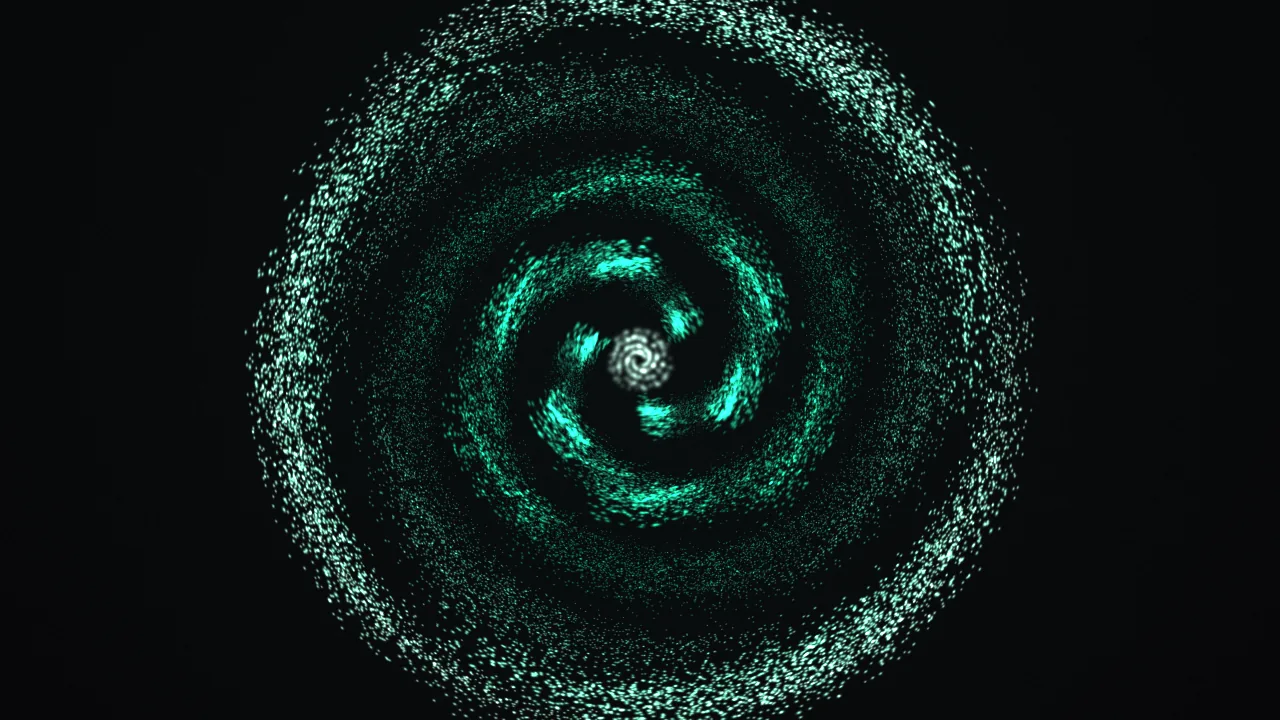
What the particles do
Each particle belongs to one slice of the spectrum, low notes near the centre and high ones outside, and it grows when its slice is loud. The particles circle on the song's loudness added up over time, so a quiet passage drifts and a loud one races. The song is read once, from start to end, before it plays, about 43 times for every second of sound. The same second of the song always puts every particle in the same place, so the video matches what you watched.
How to make a particle visualizer video
- Open the music visualizer and press Play the sample, or drop your own MP3, WAV, M4A, AAC, FLAC or OGG file on the picture.
- Pick a look: Jade, Ember, Aurora, Sunset, Rose, Cobalt, Ice, Brass, Ink or Paper. Raise Response for a bigger swell on the beats; Seed lays the particles out again.
- Under Video, choose a shape (wide 16:9, square 1:1 or tall 9:16), a size (1080p or 4K) and 30 or 60 frames a second.
- Drag the two ends of the waveform strip to cut a clip, or leave them for the whole song. Type a title if you want one drawn on the picture.
- Press Save video. The first time, sign in with Google; the MP4 then lands in your downloads.
What people make with it
- A YouTube video for a track with no video. Wide 16:9 at 4K, the whole song, with its title on the picture.
- A teaser for Reels, Shorts or TikTok. Tall 9:16, a 15 or 30 second cut from the waveform strip.
- Cover art or a thumbnail. Pause on a strong moment and press Save PNG.
What it exports
| Shape | 1080p | 4K |
|---|---|---|
| Wide 16:9 | 1920 × 1080 | 3840 × 2160 |
| Square 1:1 | 1080 × 1080 | 2160 × 2160 |
| Tall 9:16 | 1080 × 1920 | 2160 × 3840 |
The video is an H.264 MP4 with your song as its sound track, at 30 or 60 frames a second. Before you start, the line under the button names the pixel size, the length and an estimate of the file size. The page draws every frame on your own graphics card, so it takes about as long as the clip, often less. There is no watermark on the video or on the PNG, and the song is never uploaded.
The limits, said plainly
- Making the video needs a recent Chrome or Edge, because it uses the browser's own video encoder. Playing and saving a PNG work without it.
- The video asks for a free Google sign-in first. Signing in only tells AIKIZI who is saving a video; the song stays on your computer.
- A song is read up to its first 20 minutes.
- 4K asks a lot of the graphics card. On a slower machine, choose 1080p.
- The microphone cannot be filmed here; the video needs a song file or the sample.
Next to desktop software
Motion graphics software such as After Effects can build a visualizer from audio layers and keyframes, set it inside a larger edit, and give you control over every part of the picture. For a music video with a brief and a deadline, that control is worth the time. For a track that needs a moving picture today, this page gives you ten looks, a seed and a response slider, renders on your own computer, and costs nothing.
Common questions
Is this audio visualizer free, with no watermark?
Yes. There is no watermark on the video or the picture. The video asks you to sign in with Google first, which is free.
Can it make a 4K music visualizer video?
Yes. Choose 4K under Video and the wide picture is 3840 × 2160; tall is 2160 × 3840.
Can I make a vertical video for Reels, Shorts or TikTok?
Yes. Under Video choose Tall 9:16 and the picture becomes 1080 × 1920 (2160 × 3840 at 4K). Drag the ends of the waveform strip to cut a 15 or 30 second clip.
Is my song uploaded?
No. The song is read, drawn and turned into video on your own computer. Nothing is uploaded.
Try it
Press Play the sample, choose Tall 9:16, and press Save video. To record live instead, with no sign-in, read Free Music Visualizer Video Maker: 4K MP4 for Reels.